- The best AI use cases in engineer-to-order (ETO) manufacturing are document-heavy and repetitive: reading RFQs, searching drawings, matching purchase orders.
- In every case here, AI prepares and flags. A named person validates before anything affects price, design, compliance or safety.
- Start with one use case that has clear inputs, a clear owner and a number you can measure.
Engineer-to-order manufacturing is a hard place to apply AI because almost nothing repeats exactly. Every project has a new specification, a new set of drawings and a new set of surprises. That is also why it is a good place for AI for manufacturing done sensibly: so much of the effort is reading, finding and reconciling information, not cutting metal.
Engineer-to-order (ETO) manufacturing means products are designed and engineered to a customer's specific requirements after the order or bid. Think industrial machinery, process equipment and large fabricated systems. Quoting is uncertain, engineering knowledge is hard to reuse, and the paperwork is heavy.
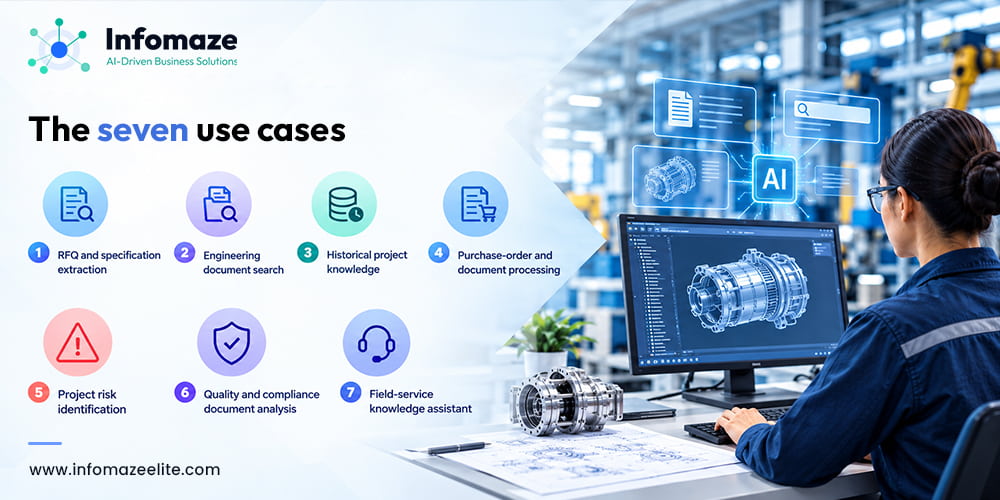
Below are seven practical use cases of AI in Engineer-to-Order operations. Each follows the same four steps: the problem, the AI application, the human validation, and the business outcome. None of them is autonomous, and that is deliberate. In engineering, someone qualified has to stand behind the answer.
Several of the statistics below come from vendor or association-commissioned surveys. They are cited so you can judge them, and they are best read as directional. Your own baseline, measured before you start, is more useful than any industry figure.
7 Practical AI Use Cases for Engineer-to-Order Manufacturing
RFQ and specification extraction
Problem:
Requests for quotation arrive as emails, PDF specifications, drawings and spreadsheets. Someone has to read the whole package, pull out the requirements, and notice what is missing or contradictory. It is slow, and two estimators will often read the same RFQ differently. In Tacton's digital manufacturing survey, 43% of manufacturers rely on Excel for complex quoting and 51% need engineering involvement for most quotes (vendor survey, so directional).
AI application:
AI reads the RFQ package and builds a structured requirement sheet: capacities, materials, standards, delivery dates, special conditions. It flags missing or ambiguous items and links every extracted value to the page it came from.
Human validation:
The estimator or engineer checks the sheet against the source documents and confirms the interpretation. Anything that sets price, scope or a technical commitment is signed off by a person before it reaches the customer.
Business outcome:
A faster, more consistent first response and fewer surprises after the order is won.
Engineering document search
Problem:
Drawings, datasheets, specifications, standards and test reports sit across shared drives, a PDM system, email and personal folders. An IEEE-commissioned survey of 400+ technology professionals put engineers at 8.2 hours a week searching for and accessing engineering information. IEEE sells a research library, so treat it as a directional figure, but anyone who has hunted for the latest revision will recognise it.
AI application:
A search assistant over approved document sets. It finds documents by meaning, not exact file name, and answers questions with citations to the document and revision. It respects existing access permissions.
Human validation:
The engineer opens the cited source before relying on an answer. Revision control stays in the PDM or document system. When the documents do not contain the answer, the assistant must say so instead of guessing.
Business outcome:
Less time searching, and fewer decisions made on an outdated drawing or specification.
Historical Project Knowledge
Problem:
Engineer-to-order companies have usually built something similar before. But the useful detail, such as why a design changed or what went wrong at commissioning, lives in closed project folders and in the heads of senior engineers. Lessons-learned documents are written and rarely read.
AI application:
AI indexes closed project files: design reviews, change orders, non-conformance reports, commissioning notes. When a new quote or design starts, it surfaces comparable past projects and the issues recorded against them.
Human validation:
The project lead decides whether a past project is truly comparable, because similar is not the same. Senior engineers decide which lessons become approved practice. Nothing is reused automatically.
Business outcome:
More reuse of proven designs, fewer repeated mistakes, and faster onboarding for newer engineers.
Purchase-order and document processing
Problem:
Customer purchase orders, supplier confirmations, invoices and delivery notes arrive in many formats and are retyped into the ERP, then matched by eye. A 2025 Parseur and QuestionPro survey of 500 U.S. professionals found more than nine hours a week spent moving data between emails, PDFs, spreadsheets and systems.
AI application:
OCR and AI extract the fields, match them to the quote, purchase order or ERP record, and flag mismatches in price, quantity, delivery date or terms. This is the same pattern we describe in our ERP workflow automation article, applied to documents.
Human validation:
Staff review exceptions only. Low-confidence fields go to a person, and anything above an agreed value threshold needs approval. Payments stay under finance control.
Business outcome:
Less re-keying, mismatches caught before they become disputes, and order terms that actually match the quote.
Project risk identification
Problem:
Risk in a long project shows up as small signals: a supplier confirmation that is late, a third change request on the same package, a milestone slipping by days, design resource stretched across jobs. Project managers usually see the pattern in a weekly meeting, after it has already cost time.
AI application:
AI reads schedules, change logs, supplier status and issue logs, then flags patterns that resemble past troubled projects and drafts a short weekly risk summary for each project.
Human validation:
The project manager decides whether a flag is real, assigns the action and tunes out false alarms. The AI never changes a schedule, cost or commitment itself. Treat flags as prompts for a conversation, not forecasts.
Business outcome:
Earlier escalation and better-informed project reviews.
Quality and compliance document analysis
Problem:
Each project brings customer specifications, standards, inspection and test plans, material certificates and compliance matrices. Checking that every requirement is met by a document in the pack is careful, repetitive work, and gaps tend to surface at final review.
AI application:
AI compares material certificates and test reports against specification requirements, flags missing or out-of-range values, drafts the compliance matrix, and highlights clauses that changed between specification revisions.
Human validation:
The quality engineer verifies every flag and signs the result. AI does not certify anything, and compliance decisions remain a named person's responsibility, with a record of what the AI suggested and what the person decided.
Business outcome:
Fewer missed requirements, shorter document-pack review, and fewer last-minute corrections.
Field-service knowledge assistant
Problem:
Every engineer-to-order machine is a little different. A technician on site needs the as-built drawings, manuals and service history for that exact unit, and often ends up phoning the engineer who designed it.
AI application:
An assistant over as-built documents, manuals and previous service records, available on a phone. It answers with citations and can turn a technician's spoken or typed notes into a structured job report. See our field service management work.
Human validation:
Safety-critical procedures are shown only from the controlled document, word for word, never paraphrased. The technician applies judgement, and hard questions escalate to an engineer. Job reports are reviewed before they join the service record.
Business outcome:
Faster first-time fixes, fewer interruptions for design engineers, and better service data feeding back into future designs.
At a glance
| Use case | Main inputs | Human checkpoint | First metric |
|---|---|---|---|
| RFQ extraction | RFQ packages, specs, drawings | Estimator verifies requirement sheet | Time to verified requirements |
| Document search | Drawings, specs, standards | Engineer opens cited source | Search time |
| Project knowledge | Closed project files | Project lead judges similarity | Reuse rate |
| PO and document processing | POs, invoices, confirmations | Staff clear exceptions | Straight-through rate |
| Project risk | Schedules, change logs, supplier status | PM confirms and acts | Useful-flag rate |
| Quality and compliance | Certificates, test reports, specs | Quality engineer signs off | Review time per pack |
| Field-service assistant | As-built docs, manuals, service history | Technician and engineer escalation | First-time fix rate |
Where AI should not act on its own
If you remember one rule from this article, make it this: AI reads, extracts, searches and recommends. A person approves and takes responsibility. In ETO manufacturing that means keeping people in charge of:
- Prices, discounts and delivery commitments given to customers
- Design decisions and engineering changes
- Compliance sign-off, certificates and test acceptance
- Safety-critical procedures and instructions
- Payments and contractual terms
Building that approval step into the workflow, with a record of what the AI suggested and what the person decided, is what makes these systems trustworthy enough to use on real projects.
How to start without a big programme
- Pick one use case. Choose the one where your team loses the most time to reading or retyping, and where the output is easy to check. RFQ extraction, PO processing and document search are the usual starting points.
- Check the inputs. You do not need perfect data. You need documents you can access, and a clear owner for each set.
- Write down the baseline. Hours, errors, turnaround time. Without it you cannot show a result.
- Connect it to your systems. Outputs should land in your ERP, PDM or CRM through proper integration, not in a separate tool people have to remember to open. Our AI automation starting guide covers this in more depth.
- Run it alongside the manual process first, compare, then switch over when the results hold up.
Document search and knowledge assistants are typically built with retrieval over your own documents, which we cover under LLM and RAG integration. Document-heavy workflows are covered under AI document processing. For the wider picture, see our industrial software, automation and AI solutions.
Which of these seven would help your engineering and quoting teams first?
Tell us where your team loses time to reading, searching or retyping. We will tell you honestly whether AI is the right tool and what a small first project would look like.
Book a free AI audit →