Critical PHP Security Alert — October 2026
Two critical vulnerabilities, CVE-2026-109618 and CVE-2026-109619, collectively known as PHP2Shell, could allow attackers to execute malicious code on vulnerable PHP servers without authentication.
Does your business use PHP?
If your website or business application runs on WordPress, Magento, Drupal, Joomla, Laravel, or a custom PHP platform, check whether your hosting environment is affected.
- Severity: Critical — CVSS 9.2
- Security updates released: October 21, 2026
- Potential impact: Server compromise, exposure of sensitive information, and service disruption
- Recommended action: Verify that your server is running a properly patched PHP build.
Read this guide to identify affected versions and understand the recommended security steps.
What happened with the PHP vulnerabilities?
On October 21, 2026, the PHP project released security updates for two critical vulnerabilities. Qualys refers to the vulnerabilities collectively as PHP2Shell. Its research describes memory-handling flaws that can expose vulnerable PHP environments to remote code execution. The following sections explain how the vulnerabilities work, which deployments need attention, and how to verify remediation.
Both bugs come down to how PHP handles memory while it processes a web request:
- CVE-2026-109618: if the server runs out of memory at a bad moment, PHP can be left holding half-prepared request data, and its cleanup code then works on that broken state. That opens a route to remote code execution.
- CVE-2026-109619: PHP can keep pointing at request data after the memory behind it has been freed. A later request handled by the same worker can then trigger a use-after-free. Researchers have shown remote code execution this way.
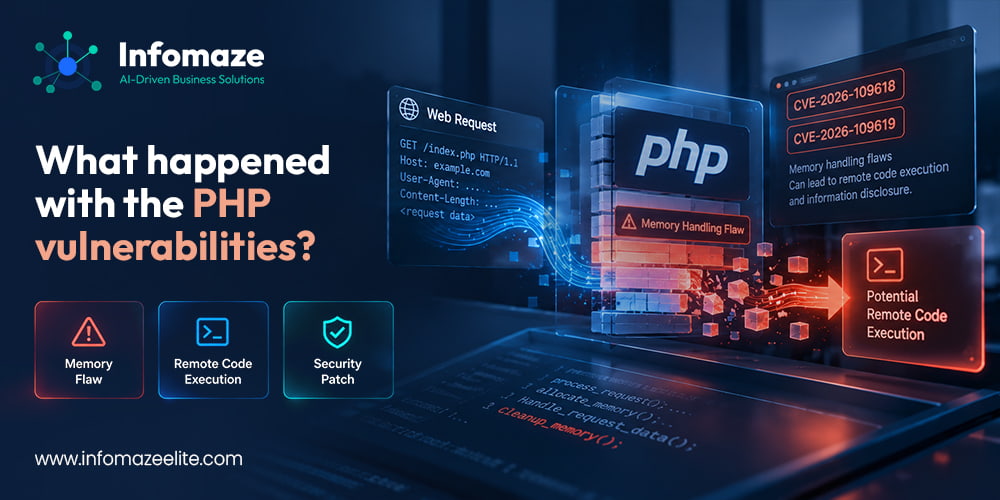
Qualys also notes that researchers have shown attackers reading PHP worker memory without authentication. That memory can contain passwords, session tokens and API keys, which means a server doesn't have to be fully taken over for the damage to be serious.
Apache with mod_php needs attention first, because PHP reports a working exploit there that triggers before your application code even runs. But PHP lists every setup that serves web requests as at risk, including PHP-FPM, php-cgi, FrankenPHP and LiteSpeed. How easy an attack is depends on your configuration and your application. The official PHP advisory recommends identifying affected installations and applying the security updates immediately.”
Which PHP versions fix it?
These upstream releases contain the fix for both vulnerabilities:
| PHP branch | Affected upstream releases | Fixed version |
|---|---|---|
| PHP 8.5 | 8.5.11 and earlier | 8.5.12 |
| PHP 8.4 | 8.4.26 and earlier | 8.4.27 |
| PHP 8.3 | 8.3.35 and earlier | 8.3.36 |
| PHP 8.2 | 8.2.34 and earlier | 8.2.35 |
| PHP 8.1 and older | End-of-life; vendor support varies | Vendor security backport or supported PHP upgrade |
These are upstream release references. Some vendors provide security backports without changing the visible PHP version number, so verification must consider the vendor package and build.
One catch: if your server gets PHP through Ubuntu, Red Hat, Debian or another distribution, the fix may arrive as a backported package that still shows an older version number. Check your vendor's advisory rather than trusting the number alone.
PHP 8.1 and earlier are outside regular upstream support. The PHP team has provided limited source backports for 7.4, 8.0 and 8.1, but the sensible options are a fixed build from your distribution or support vendor, or an upgrade to a supported release.
Does your business actually use PHP?
Most business owners don't know, and that's completely normal. PHP runs quietly behind a huge share of the web. If your website is built on WordPress, Magento, Drupal, Joomla or Laravel, it runs on PHP. So do many customer portals, booking tools, quoting systems and older in-house applications. If your developer built something years ago and nobody has touched it since, assume it is worth checking.
Find your setup and what to do next
Your next step depends on who looks after the server. Find the one that sounds like you:
Managed hosting
Your provider normally handles server updates. Ask them to confirm in writing which PHP version your site runs and that it includes the October fix.
Shared or third-party host
Hosts like GoDaddy or WP Engine manage the underlying server. Contact their support, quote CVE-2026-109618 and CVE-2026-109619, and ask for the patched version.
VPS or dedicated server
Nothing updates itself here. Someone has to apply the patch to the operating system and restart PHP. If nobody owns that job, it needs an owner today.
Self-hosted apps and containers
Check every copy of PHP, including Docker images, staging servers and bundled copies inside other software. Rebuild and redeploy patched images.
How do you check which PHP version you are running?
Ask your developer or host first. They can answer in a couple of minutes. If you manage the server yourself, running php -v is a start, but be careful: the version it prints can belong to a different installation than the one serving your website. Servers often carry several PHP versions side by side, and a hosting panel may add its own. Confirm the version the web server actually uses, not just the one on the command line.
How to Check Whether Your Business Is Protected Against PHP2Shell
Installing a security update is important, but you also need to verify that the correct PHP runtime is protected. Use this five-step checklist to review your website or business application.
Identify every PHP application
List your websites, customer portals, staging environments and business applications that use PHP. Include applications running on separate servers or containers.
Confirm the running PHP version
Check the PHP runtime serving each website. The output of php -v alone may not identify the version used by your web server.
Verify the security fix
Confirm that the installed build includes the applicable PHP2Shell security fix. If your provider uses distribution packages, check its security advisory for any backported patch.
Restart or replace PHP workers
Confirm that the updated runtime is actually running. Restart the relevant PHP workers or replace outdated containers and redeploy patched images where necessary.
Review potential exposure
If your application was running an affected build, review relevant logs and investigate suspicious activity during the exposure period. Patching alone does not establish whether a compromise occurred.
Need Help Verifying Your PHP Security Update?
Ask your hosting provider to confirm that the applicable PHP2Shell security patch has been installed and that your website is running the updated PHP environment.
Need help reviewing your PHP application, identifying maintenance requirements, or planning a security update? Our team can assist.
Contact Infomaze →What if you can't patch today?
Updating is the only complete fix. If a patched build can't go live immediately, PHP's guidance lists interim measures that reduce exposure to specific attack paths, and they should be treated as a bridge, not a solution:
- Set
session.upload_progress.enabled=0at server or pool level (not through application code) and restart every PHP worker. - Cap request sizes, for example
post_max_sizeat 8M if your app doesn't take uploads, and enforce limits at the web server or proxy as well. - If you must, restrict public access to the affected service or isolate it until the update is ready.
How do you confirm the fix actually worked?
Installing a package is one step, not the finish line. After you update:
- Find every PHP installation, including containers and anything bundled with other software.
- Update the right package, binary or image, and check the full package version against your vendor's advisory.
- Restart or replace the workers, then confirm the running site uses the new runtime.
- Put temporary settings back to sensible values and test how the app behaves under heavy load.
Why running old PHP is the bigger risk
Each time a serious PHP flaw lands, the businesses that scramble are the ones on unsupported versions, because the clean fix simply isn't available to them. If this week's alert made you realise your site runs on PHP 7.4 or 8.0, that's worth acting on beyond this one patch. Our team handles legacy system modernization for PHP, .NET and Classic ASP applications, and can also rescue and modernise unstable applications, or provide dedicated PHP developers to take over maintenance.
Concerned About PHP2Shell? Request a PHP Security & Version Assessment.
Infomaze can help assess your existing application, identify maintenance requirements, and plan appropriate updates or modernization.
Talk to our team →Frequently asked questions
What is PHP2Shell?
It is the name Qualys uses for two critical PHP vulnerabilities, CVE-2026-109618 and CVE-2026-109619. Both can allow unauthenticated remote code execution and both score 9.2 on CVSS v4.0.
Which PHP versions fix the vulnerabilities?
PHP 8.5.12, 8.4.27, 8.3.36 and 8.2.35. Limited source backports exist for 7.4, 8.0 and 8.1, which are outside regular upstream support.
How do I know if my website uses PHP?
If it runs on WordPress, Magento, Drupal, Joomla or Laravel, it does. Your developer or host can confirm the exact version quickly.
Does my hosting provider patch PHP for me?
On managed hosting, usually, but ask for written confirmation of the exact version. On a VPS or dedicated server, updates are your responsibility unless you have a managed service in place.
Can I reduce the risk if I can't patch today?
Yes, partly. Disabling session upload progress and limiting request sizes close specific attack paths, but only updating PHP fully fixes the problem.